Asphalt Nitro – APK, Features, Cars and Racing

Asphalt Nitro is a lightweight arcade racing game built for Android devices. Gameloft developed the game to deliver fast racing without demanding high-end hardware. It combines licensed supercars, exciting tracks, and smooth gameplay in a compact package.
The game gained popularity because it offered console-style racing in a small download. Players enjoyed impressive graphics, quick races, and simple controls. Many low-end phones could run it smoothly, making it a favorite worldwide.
People still search for Asphalt Nitro because they want to download the latest version, check device compatibility, solve installation issues, or revisit a classic racing game. Others compare it with newer Asphalt titles or look for safe ways to install and play it.
This guide is for new players, returning fans, and anyone researching Asphalt Nitro before downloading it. Whether you need gameplay tips, system requirements, installation steps, or feature details, you’ll find clear and accurate information here.
You’ll also learn about the game’s cars, race modes, controls, offline support, common problems, and practical solutions. The guide compares Asphalt Nitro with similar racing games and answers the most common questions. Every section focuses on helping you make informed decisions with reliable, up-to-date information.
What is Asphalt Nitro?
Overview

Asphalt Nitro is a lightweight arcade racing game for Android devices. Gameloft designed it for players who want fast racing without large storage needs. The game delivers smooth controls, licensed cars, and exciting tracks in a compact package. It focuses on quick races, high-speed action, and simple gameplay that suits both new and experienced players.
Game History
Gameloft released Asphalt Nitro in 2015 as part of the popular Asphalt racing series. The game aimed to bring premium racing to budget smartphones. It offered many features from larger Asphalt games while using much less storage. This approach helped millions of players enjoy arcade racing on entry-level devices.
Developer (Gameloft)
Gameloft is a leading mobile game developer known for creating high-quality smartphone games. The company launched the Asphalt franchise to deliver fast-paced arcade racing with licensed vehicles and impressive visuals. Asphalt Nitro follows the same formula while focusing on smaller file size and wider device compatibility.
Release Timeline
Asphalt Nitro first launched in 2015 for Android users. Over time, Gameloft released updates that improved performance, fixed bugs, and added support for newer Android versions. Although the original game is no longer widely available through official app stores in some regions, it remains popular among racing game fans.
Supported Platforms
Asphalt Nitro was built mainly for Android smartphones and tablets. It supports many devices, including older and low-end models. The game became popular because it delivered stable performance without requiring powerful hardware. Availability may vary by region and app store.
Why Asphalt Nitro Became Popular
Several factors helped Asphalt Nitro stand out from other mobile racing games.
- Small download size
- Smooth performance on low-end phones
- Fast arcade-style racing
- Licensed sports cars
- Easy-to-learn controls
- Multiple race modes
- Attractive 3D graphics
- Short races that suit mobile gaming
These strengths made Asphalt Nitro a favorite for players who wanted a fun racing experience without sacrificing storage or performance. Asphalt Nitro Mod APK offers high-speed racing, unlocked cars, and enhanced driving features for racing fans. Minecraft Patch focuses on fixing bugs, improving gameplay, and updating features in the creative sandbox world of Minecraft.
Asphalt Nitro Features
Asphalt Nitro packs several exciting features into a lightweight racing game. It delivers fast gameplay, responsive controls, and impressive visuals without demanding powerful hardware.

Lightweight Game Size
Asphalt Nitro takes up much less space than many modern racing games. Its compact size makes downloading and installing easier. Players with limited storage can enjoy a complete racing experience without removing other apps.
High-Quality Graphics
The game offers detailed cars, vibrant environments, and realistic lighting. Visual effects like reflections, motion blur, and explosions make each race feel exciting. The graphics stay smooth on many Android devices.
Fast Arcade Racing
Every race focuses on speed and action. Cars accelerate quickly, and races move at a fast pace. The arcade style rewards quick reactions instead of realistic driving physics.
Licensed Cars
The game includes real-world sports cars from well-known manufacturers. Each vehicle has unique speed, acceleration, handling, and nitro performance. Players can unlock new cars as they progress.
Multiple Game Modes
Asphalt Nitro offers several race modes to keep gameplay fresh. Different objectives encourage players to improve their driving skills and try new strategies.
Nitro Boost System
Nitro gives your car a powerful speed boost during races. Smart nitro management helps you overtake opponents and maintain momentum. Timing each boost often decides the final result.
Drift Mechanics
Drifting helps players maintain speed through sharp corners. Successful drifts also refill the nitro meter. Learning this mechanic improves lap times and race performance.
Career Mode
Career Mode serves as the main progression system. Players complete events, unlock new races, earn rewards, and expand their car collection by finishing challenges.
Offline Gameplay
Most core races work without an internet connection. Players can enjoy Career Mode and practice anytime. Some online features may require internet access.
Multiplayer Features
Some versions of Asphalt Nitro include multiplayer support. Players can compete against others to test their driving skills. Feature availability depends on the game version and server support.
Daily Challenges
Daily challenges provide extra objectives and rewards. Completing them helps players collect credits faster and progress through the game more efficiently.
Achievements
The game rewards players for reaching important milestones. Achievements encourage exploration, skill improvement, and long-term progression.
Smooth Controls
Players can choose touch or tilt controls based on their preference. The responsive steering system feels easy to learn while offering enough precision for competitive racing.
What’s New in the Latest Version?
The latest available version of Asphalt Nitro download focuses on stability, smoother gameplay, and better compatibility. While major content updates have become less frequent, the final releases improved the overall player experience.

Latest Changes
The latest version refines the existing gameplay instead of adding major new content. It improves game stability and delivers a more consistent racing experience across supported devices.
Improvements
Several small improvements make the game more enjoyable.
- Faster game startup
- Better menu responsiveness
- Smoother race transitions
- More stable gameplay
- Improved visual consistency
These updates help reduce interruptions during races.
Bug Fixes
The latest version fixes several issues reported by players. These fixes improve reliability and reduce unexpected problems.
Common fixes include:
- Better app stability
- Fewer random crashes
- Reduced loading issues
- Improved save reliability
- Minor interface corrections
Performance Enhancements
Gameloft optimized the game to run efficiently on a wide range of Android devices. The latest version uses system resources more effectively. Players can expect smoother frame rates and quicker loading on compatible hardware.
Compatibility Updates
The latest version supports many Android devices while maintaining its lightweight design. Compatibility improvements help the game run more reliably on newer Android versions that still support the application. Actual performance depends on your device model, Android version, available storage, and RAM.
Asphalt Nitro Download
Finding a safe version of Asphalt Nitro is important. Always choose trusted sources to reduce security risks and avoid modified files you do not expect.
APK Download
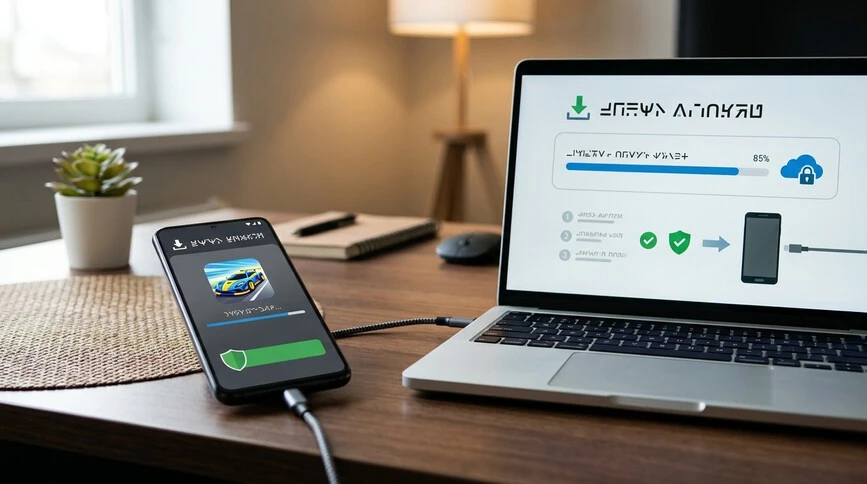
The Asphalt Nitro APK lets you install the game manually on compatible Android devices. Before downloading, verify the file version and source. Scan the APK with a trusted security tool if it comes from outside an official app store.
APK + OBB
Some Asphalt Nitro releases include an APK file and an OBB file. The APK installs the game, while the OBB stores additional game data. Place the OBB file in the correct Android directory before launching the game. Some newer releases may not require a separate OBB file.
Google Play Availability
Asphalt Nitro is not always available on the Google Play Store. Availability depends on your region, device compatibility, and Gameloft’s distribution decisions. If the game does not appear, it may no longer be offered for your device or location.
Alternative Download Methods
If Google Play does not list the game, look for trusted archives or official distribution channels that legally provide the original APK. Avoid websites that bundle unknown installers, force unnecessary permissions, or promise unrealistic modifications. These downloads may expose your device to security risks.
Version History
Asphalt Nitro has received multiple updates since its original release. Each version focused on improving stability, fixing bugs, and supporting more Android devices. Checking the version history helps you choose a release that matches your device and provides the best experience.
How to Install Asphalt Nitro
Installing Asphalt Nitro is simple when you follow the correct steps. The process depends on whether your download includes only an APK or both an APK and an OBB file.
APK Installation
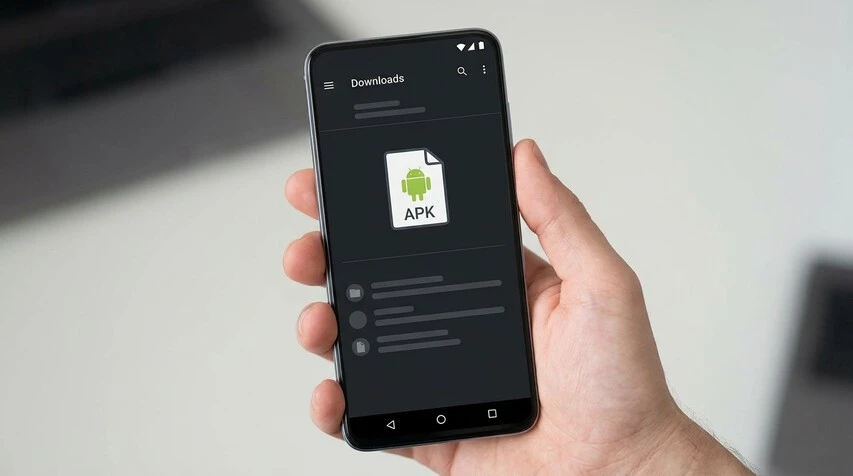
Follow these steps to install the APK:
- Download the Asphalt Nitro APK from a trusted source.
- Open your device’s Downloads folder.
- Tap the APK file.
- Allow installation if Android asks for permission.
- Wait for the installation to finish.
- Open the game and complete the initial setup.
APK + OBB Installation
Some versions require an additional OBB file.
- Download both the APK and OBB files.
- Install the APK, but do not open it yet.
- Extract the OBB file if it is compressed.
- Move the OBB folder to Android/OBB/ in your device storage.
- Make sure the folder name matches the game’s package name.
- Launch the game after the file transfer finishes.
Allow Unknown Sources
Android blocks apps from outside official stores by default. You must allow your browser or file manager to install unknown apps.
To enable this setting:
- Open Settings.
- Go to Security or Apps.
- Select Install Unknown Apps.
- Choose the app you used to download the APK.
- Turn on Allow from This Source.
You can disable this permission after the installation for better security.
Common Installation Errors
If the game does not install, check these common issues:
- Downloaded APK is incomplete.
- APK version is incompatible with your Android version.
- OBB file is missing or stored in the wrong folder.
- Device storage is full.
- Another version of the game causes a conflict.
- The APK file is corrupted.
Download the files again if the problem continues.
Verification After Installation
After installing the game:
- Open Asphalt Nitro without error messages.
- Confirm that all game assets load correctly.
- Check that menus respond smoothly.
- Start a race to verify graphics and controls.
- Save your progress if the option is available.
A successful launch confirms that the installation is complete and the game is ready to play.
Asphalt Nitro Gameplay
Asphalt Nitro delivers fast, action-packed races that reward skill and quick decisions. Every mode offers a different challenge, keeping the gameplay exciting from the first race to the last.
Career Mode

Career Mode is the main part of the game. Players complete events to unlock new races, cars, and rewards. As you progress, the races become more challenging and require better driving skills.
Race Types
Asphalt Nitro includes several race modes with unique objectives.
Classic
Classic mode is a standard race. Cross the finish line before your opponents to win.
Knockdown
Knockdown rewards aggressive driving. Ram rival cars to knock them out while racing toward the finish.
Gate Drift
Gate Drift tests your drifting skills. Drift through marked gates to earn points and complete the objective before time runs out.
Time Trial
Race against the clock instead of other drivers. Reach the finish line before the timer expires.
Elimination
The last-place driver leaves the race after each countdown. Stay ahead to avoid elimination and become the final winner.
Escape
Escape challenges you to outrun pursuing vehicles while reaching the finish line safely. Quick reactions and smart nitro use are essential.
Infected
Infected mode places a timer on your car. Collect nitro pickups to extend your time and stay in the race until the finish.
Versus
Versus mode lets you compete directly against another driver. Victory depends on speed, control, and consistent racing.
Progression System
Winning races earns credits and unlocks new events. Better performance opens access to faster cars and more difficult challenges. Upgrading your vehicles helps you stay competitive throughout the career.
Rewards
Players receive rewards for completing races and objectives.
Common rewards include:
- In-game credits
- New race unlocks
- Car unlocks
- Upgrade opportunities
- Achievement progress
These rewards help you build a stronger garage and advance faster.
Difficulty Levels
The difficulty increases as you move through the game. Early races teach the basic mechanics. Later events feature stronger opponents, tighter tracks, and higher performance requirements. Upgrading your car and mastering drifting become important for continued success.
Cars in Asphalt Nitro
Cars are the heart of Asphalt Nitro. Each vehicle offers different strengths in speed, acceleration, handling, and nitro efficiency. Choosing the right car for each race can improve your results and help you progress faster.
Complete Cars List





Asphalt Nitro features a collection of licensed sports cars from well-known manufacturers. The exact lineup may vary by game version, but players can unlock and race with vehicles from brands such as:
- Lamborghini
- Ferrari
- Audi
- BMW
- Chevrolet
- Dodge
- Lotus
Each car has unique performance ratings and upgrade potential.
Car Classes
The game groups cars by their overall performance. Lower-tier cars are easier to unlock and upgrade, while higher-tier cars offer better speed and handling for advanced races.
As you advance through Career Mode, stronger car classes become available.
Best Beginner Cars
New players should start with affordable cars that balance speed and handling.
Good beginner cars usually offer:
- Easy control
- Low upgrade cost
- Reliable acceleration
- Balanced performance
These vehicles help you complete early Career Mode events with fewer challenges.
Fastest Cars
Top-tier supercars deliver the highest maximum speed in Asphalt Nitro. They perform best on long tracks with wide roads and long straight sections. These cars also benefit the most from fully upgraded performance.
Best Value Cars
Some cars provide excellent performance without costing many credits. These vehicles offer one of the best price-to-performance ratios in the game. Upgrading them early can save resources while keeping you competitive.
Premium Cars
Premium cars represent the highest-performance vehicles in the game. They feature superior speed, acceleration, and nitro power. Unlocking them usually requires significant progress and a larger credit investment.
Unlock Requirements
Most cars unlock through Career Mode progression. Completing races, earning stars, and collecting enough in-game credits allow you to expand your garage. Higher-performance vehicles usually require reaching later stages of the game before they become available.
Upgrade System
The upgrade system improves your car’s overall performance. Players spend in-game credits to increase key attributes.
You can upgrade:
- Top speed
- Acceleration
- Handling
- Nitro efficiency
Upgrade your main car gradually instead of spreading credits across multiple vehicles. A well-upgraded car often performs better than several lightly upgraded ones.
Tracks and Locations
Asphalt Nitro features tracks inspired by real-world locations. Every course offers different layouts, turns, and obstacles. Learning each track helps you race faster and make better decisions.
Available Maps
The game includes races across several famous locations. Depending on the game version, players can drive through environments such as:
- Brazil
- China
- Egypt
- Nevada
- Alps
Each map has its own scenery, road design, and racing challenges. Some tracks favor high-speed driving, while others demand precise cornering.

Weather Effects
Some races include changing weather and lighting conditions. Rain, sunlight, and night settings improve the visual experience and make each location feel unique. Players should stay alert because different conditions can reduce visibility.
Shortcuts
Many tracks contain shortcuts that save valuable seconds. These routes often appear behind ramps, narrow paths, or side roads. Learning shortcut locations helps you gain an advantage over opponents.
Use shortcuts only when you can enter them safely. A missed turn can cost more time than it saves.
Hidden Routes
Certain tracks include hidden paths that many players overlook. These routes can help you avoid traffic and maintain speed. Exploring each map during practice races makes these routes easier to find and use during competition.
Difficulty by Track
Not every track offers the same challenge.
- Wide tracks suit beginners.
- City tracks require quick steering.
- Mountain roads demand careful drifting.
- Tracks with many ramps reward skilled timing.
- Narrow roads leave little room for mistakes.
As you progress through Career Mode, track layouts become more demanding. Mastering every location improves your consistency and increases your chances of winning.
Controls and Gameplay Mechanics
Strong control and timing separate beginner players from experienced racers. Asphalt Nitro offers simple controls, but mastering its mechanics takes practice. Learning these techniques helps you win races more consistently.
Touch Controls
Touch controls use on-screen buttons for steering, braking, and nitro. They offer precise handling and suit players who prefer direct control. Many beginners choose this option because it is easy to learn.
Tilt Controls
Tilt controls use your device’s motion sensor to steer the car. This method creates a more immersive racing experience. Players who master tilt steering often enjoy smoother cornering on technical tracks.
Nitro Management
Nitro is one of the most important racing mechanics. Use it wisely instead of activating it whenever it becomes available.

For better results:
- Save nitro for long straight roads.
- Use it after exiting a corner.
- Avoid wasting nitro before sharp turns.
- Collect nitro bottles whenever possible.
Smart nitro usage often decides close races.
Drifting
Drifting helps your car maintain speed through corners. It also fills the nitro meter, giving you more boost opportunities. Start your drift before entering a turn and exit smoothly to keep your momentum.
Air Tricks
Ramps allow your car to perform tricks while airborne. Successful tricks reward you with extra nitro after landing. Always aim for a stable landing to avoid losing speed.
Barrel Rolls
A barrel roll happens when you launch from a twisted ramp. Your car spins sideways in the air before landing. Landing cleanly gives you a valuable nitro refill and helps maintain your race pace.
Flat Spins
Flat spins occur when you drift into a ramp before takeoff. The car rotates horizontally while airborne. Timing the drift correctly increases your chances of completing a successful spin.
Perfect Nitro
Perfect Nitro delivers a stronger and more efficient speed boost than normal nitro. Activate the boost again when the nitro meter reaches the highlighted zone. With proper timing, your car gains better acceleration while using less nitro, making it ideal for overtaking opponents and finishing races strongly.
System Requirements
Asphalt Nitro runs well on many Android devices because of its lightweight design. It needs fewer resources than most modern racing games, making it a good choice for older and budget smartphones.
Minimum Requirements
Your device should meet these basic requirements:
- Operating System: Android 4.1 or later
- Processor: Dual-core CPU
- RAM: 1 GB
- Free Storage: At least 200 MB after installation
- Internet: Required for downloading and some online features
The game may run on lower specifications, but performance can vary.
Recommended Requirements

For smoother gameplay, your device should have:
- Operating System: Android 8.0 or later
- Processor: Quad-core CPU or better
- RAM: 2 GB or more
- Free Storage: 500 MB or more
- Stable Internet: For updates and online services
These specifications help reduce loading times and improve frame rates.
Storage Needed
Asphalt Nitro is known for its small download size. However, the installed game requires additional space for game data and future updates. Keep at least 200–500 MB of free storage for stable performance.
RAM Needed
The game runs on devices with 1 GB RAM, but 2 GB RAM or more delivers a smoother experience. Extra memory helps reduce lag, especially during longer gaming sessions.
Android Compatibility
Asphalt Nitro supports many Android versions, starting from Android 4.1. Compatibility depends on your device model, processor, and graphics hardware. Some newer Android devices may not support older game versions because of operating system or app distribution changes.
Performance on Low-End Phones
Asphalt Nitro was built for devices with limited hardware. It performs well on many entry-level smartphones when enough storage and memory are available.
For the best experience:
- Close background apps before playing.
- Keep enough free storage.
- Use the latest compatible game version.
- Restart your device if performance drops.
- Install the game from a trusted source.
These simple steps can improve stability and reduce lag during races.
How to Earn More Credits
Credits let you unlock cars and improve their performance. Earning them consistently helps you progress faster without wasting time. Focus on activities that give the best rewards for your effort.

Daily Rewards
Log in every day to collect free rewards. Daily bonuses often include credits and other useful items. Claiming them regularly builds your balance over time.
Career Mode
Career Mode is the best source of steady income. Complete races, earn stars, and finish objectives to collect more credits. Replay races where you perform well to earn additional rewards.
Events
Special events offer extra credits for completing specific challenges. Some events also reward skilled driving and faster finishing times. Check available events whenever you play to avoid missing easy rewards.
Best Farming Methods
Use these methods to earn credits faster:
- Replay races with high credit rewards.
- Complete all race objectives.
- Finish in first place whenever possible.
- Collect daily login rewards.
- Join special events when available.
- Avoid spending credits on unnecessary upgrades.
These habits help you grow your credit balance more efficiently.
Upgrade Priorities
Spend credits wisely to progress faster. Upgrade one main car before investing in several vehicles.
Prioritize upgrades in this order:
- Top Speed
- Acceleration
- Nitro
- Handling
A well-upgraded car performs better in most Career Mode races and helps you earn even more credits.
Tips and Tricks
Winning in Asphalt Nitro depends on skill, not just fast cars. The right strategy helps you finish races faster, earn more credits, and unlock new content with less effort.
Beginner Tips
New players should master the basics before chasing high-speed records.
- Learn each track layout.
- Upgrade one car first.
- Practice smooth steering.
- Use nitro on straight roads.
- Complete Career Mode before difficult events.
- Collect every daily reward.
These habits build a strong foundation for future races.
Advanced Driving Tips
Experienced players focus on speed and efficiency.
- Memorize shortcuts on every track.
- Chain drifts with nitro boosts.
- Take the racing line through corners.
- Avoid unnecessary collisions.
- Save nitro for overtaking opponents.
- Keep your speed high after every turn.
Small improvements can make a big difference during close races.
Winning More Races
A smart racing strategy increases your chances of finishing first.
- Start with a quick launch.
- Stay near the inside of corners.
- Watch traffic ahead.
- Use ramps when they save time.
- Overtake on long straight sections.
- Finish every race objective for extra rewards.
Consistency wins more races than aggressive driving.
Better Drifting
Good drifting improves both speed and nitro generation.
- Start drifting before the corner.
- Release the drift smoothly when exiting.
- Avoid drifting on straight roads.
- Do not oversteer through tight turns.
Practice helps you find the right balance between speed and control.
Nitro Timing
Using nitro at the right moment gives a clear advantage.
- Activate nitro after leaving a corner.
- Save boosts for long straight sections.
- Use Perfect Nitro whenever possible.
- Do not waste nitro before sharp turns.
- Collect nitro bottles during every race.
Proper timing keeps your momentum high.
Faster Progression
Progress becomes easier when you spend resources wisely.
- Focus on Career Mode first.
- Upgrade your strongest car.
- Complete daily challenges.
- Replay races with high rewards.
- Unlock new cars only when needed.
A focused approach saves credits and speeds up your progress.
Avoiding Common Mistakes
Many players lose races because of simple errors.
Avoid these mistakes:
- Upgrading too many cars at once.
- Using nitro immediately after the race starts.
- Ignoring shortcuts.
- Crashing into traffic.
- Missing daily rewards.
- Entering difficult races with underpowered cars.
Learning from these mistakes will improve your performance and help you progress more quickly.
Asphalt Nitro Offline Mode
One reason for Asphalt Nitro’s lasting popularity is its offline support. You can enjoy most of the game without a constant internet connection, making it a great choice for travel or areas with limited network access.
Can It Be Played Offline?
Yes. Asphalt Nitro supports offline gameplay for most single-player content. After installing the game and downloading any required files, you can play Career Mode and many race types without connecting to the internet.
What Requires Internet?
Some features may need an active internet connection.
These can include:
- Downloading or updating the game
- Accessing online multiplayer, if available
- Syncing game data
- Receiving limited online events or announcements
The available online features depend on your game version and server support.
Offline Limitations
Offline mode provides a complete single-player experience, but some features may not work.
Common limitations include:
- No online multiplayer
- No cloud data synchronization
- Limited access to online events
- No automatic game updates
These restrictions do not affect the main racing experience.
Saving Progress
Asphalt Nitro usually saves your progress on your device. Keep enough free storage to prevent save issues. If your version supports cloud synchronization, connect to the internet occasionally to back up your progress. This step helps protect your game data if you change or reset your device.
Asphalt Nitro Mod APK
Asphalt Nitro Mod APK is a modified version of the original game. Independent developers create these versions, not Gameloft. They often change the game’s files to unlock features or remove gameplay restrictions.
What Is It?
A Mod APK changes the original game by adding or unlocking features that are not available in the official release. Depending on the version, players may get access to premium content, unlocked cars, or unlimited in-game resources.
Features
The available features vary by version. Common modifications include:
- Unlimited money or credits
- Unlimited nitro
- Unlocked cars
- All tracks unlocked
- Premium features enabled
- No ads
- Faster progression
Not every Mod APK includes the same features.
Advantages
Some players choose a Mod APK because it offers:
- Instant access to premium cars
- Faster game progression
- No need to grind for credits
- More freedom to test different vehicles
- An ad-free experience in some versions
These benefits depend on the specific modification.
Risks
Modified APK files also carry important risks.
Potential issues include:
- Malware or harmful software
- Data theft
- Game crashes
- Lost progress
- Poor game stability
- No official support
- Compatibility problems
Downloading files from unknown websites increases these risks.
Security Considerations
Always put your device’s security first. Download files only from trusted sources if you decide to install an APK. Scan every file with reliable security software before opening it. Review the permissions the app requests and avoid versions that ask for unnecessary access.
Differences from the Official Version
The official version comes directly from Gameloft and keeps the original gameplay experience. It receives official support when available and offers the intended game balance.
A Mod APK changes the game’s files and may unlock content or alter progression. However, it does not come from the original developer. Stability, security, and feature quality can vary between different modified versions.
Common Problems and Fixes
Even a lightweight game like Asphalt Nitro can run into technical issues. Most problems have simple solutions. Follow the tips below before reinstalling the game.
APK Not Installing
If the APK does not install, check these common causes:
- Download the APK again if the file is incomplete.
- Make sure your Android version is supported.
- Enable Install Unknown Apps if needed.
- Free up device storage.
- Remove conflicting versions before installing a new one.
Game Crashing
Random crashes usually point to software or device issues.
Try these fixes:
- Restart your phone.
- Close background apps.
- Clear the game’s cache.
- Update to the latest compatible version.
- Reinstall the game if crashes continue.
Black Screen
A black screen often appears because of missing game files or compatibility problems.
To fix it:
- Verify that all required game files are installed.
- Restart your device.
- Check that the OBB file is in the correct folder, if your version requires one.
- Install a compatible version for your Android device.
Stuck Loading
If the game stops at the loading screen:
- Restart the game.
- Check available storage.
- Clear cache files.
- Restart your device.
- Reinstall the game if the issue remains.
Low FPS
Low frame rates can make races difficult.
Improve performance by:
- Closing unused apps.
- Freeing storage space.
- Restarting your phone.
- Avoiding power-saving mode while gaming.
- Using a device that meets the recommended requirements.
No Sound
If you cannot hear game audio:
- Increase your media volume.
- Disable silent mode.
- Restart the game.
- Check Bluetooth audio devices.
- Restart your phone if the problem continues.
Internet Errors
Some features require an internet connection.
If you see connection errors:
- Switch between Wi-Fi and mobile data.
- Restart your router if using Wi-Fi.
- Disable VPN services if they affect connectivity.
- Check whether online services are available for your game version.
Save Data Problems
Lost progress can happen after reinstalling or changing devices.
To reduce this risk:
- Back up your data if cloud saving is available.
- Avoid deleting game files manually.
- Keep enough free storage.
- Complete game updates successfully before playing.
Compatibility Issues
Some devices cannot run every version of Asphalt Nitro.
If the game does not work:
- Verify your Android version.
- Check available RAM and storage.
- Install a version that matches your device.
- Remove older conflicting installations.
Update Errors
If an update fails:
- Check your internet connection.
- Make sure enough storage is available.
- Download the update again if the file is damaged.
- Restart your device before trying again.
If the problem persists, reinstalling the latest compatible version often resolves update-related issues.
Asphalt Nitro vs Other Racing Games
Asphalt Nitro competes with several popular mobile racing games. Each game targets a different type of player. The best choice depends on your device, storage, and preferred gameplay.
Asphalt Nitro vs Asphalt 8
| Feature | Asphalt Nitro | Asphalt 8: Airborne |
| Game Size | Much smaller | Much larger |
| Graphics | Good | More advanced |
| Device Support | Low-end and mid-range phones | Mid-range and high-end phones |
| Gameplay | Fast arcade racing | More content and race modes |
| Storage Requirement | Low | High |
Choose Asphalt Nitro if you want a lightweight racing game. Choose Asphalt 8 if you prefer more cars, tracks, and features.
Asphalt Nitro vs Asphalt 9
| Feature | Asphalt Nitro | Asphalt 9: Legends |
| Graphics | Lightweight 3D graphics | Console-quality graphics |
| Controls | Simple arcade controls | TouchDrive and manual controls |
| Hardware Requirement | Low | High |
| Download Size | Small | Large |
| Online Features | Limited | Extensive |
Asphalt 9 delivers a richer experience but needs a more powerful device. Asphalt Nitro focuses on speed, simplicity, and smaller storage.
Asphalt Nitro vs Real Racing 3
| Feature | Asphalt Nitro | Real Racing 3 |
| Driving Style | Arcade | Realistic simulation |
| Physics | Fast and forgiving | Real-world handling |
| Race Length | Short | Longer events |
| Learning Curve | Easy | Moderate |
| Best For | Casual players | Simulation fans |
Choose Asphalt Nitro for quick action. Choose Real Racing 3 if you enjoy realistic driving.
Asphalt Nitro vs CSR Racing 2
| Feature | Asphalt Nitro | CSR Racing 2 |
| Gameplay | Full-track racing | Drag racing |
| Steering | Manual | Minimal steering |
| Focus | Speed and drifting | Gear shifting |
| Exploration | Multiple tracks | Straight-line races |
If you enjoy traditional racing, Asphalt Nitro offers more variety. CSR Racing 2 focuses on perfect gear changes and vehicle collection.
Asphalt Nitro vs Need for Speed: No Limits
| Feature | Asphalt Nitro | Need for Speed: No Limits |
| Game Size | Smaller | Larger |
| Graphics | Optimized for many devices | More detailed |
| Customization | Basic | Extensive |
| Device Requirement | Lower | Higher |
| Progression | Simple | More complex |
Need for Speed: No Limits offers deeper customization. Asphalt Nitro provides quicker access to racing with fewer hardware demands.
Which One Should You Choose?
Choose Asphalt Nitro if you:
- Own a low-end or older Android phone.
- Want a lightweight racing game.
- Prefer offline single-player gameplay.
- Enjoy fast arcade racing.
- Have limited storage space.
Choose another racing game if you:
- Want console-quality graphics.
- Prefer realistic driving physics.
- Enjoy deep car customization.
- Play online competitive modes regularly.
- Have a powerful smartphone.
Asphalt Nitro remains one of the best choices for players who want smooth performance, quick races, and a small download size without sacrificing fun.
Pros and Cons
Asphalt Nitro offers an enjoyable racing experience while keeping its storage requirements low. Like any game, it has strengths and limitations. Understanding both helps you decide whether it fits your needs.
Advantages
- Small download size
- Runs smoothly on many low-end Android phones
- Fast-paced arcade racing
- Easy-to-learn controls
- Multiple race modes
- Licensed sports cars
- Offline gameplay for most single-player content
- Quick loading times
- Good graphics for a lightweight game
- Regular progression through Career Mode
- Suitable for casual and new players
Disadvantages
- Fewer cars and tracks than newer Asphalt games
- Graphics are less advanced than modern racing titles
- Limited online features in some versions
- Availability varies by region and app store
- Some versions require manual APK installation
- Multiplayer support may not be available in every release
- Fewer updates compared to newer games
- Limited car customization options
- Compatibility issues may occur on some newer Android devices
Is Asphalt Nitro Safe?
The official version of Asphalt Nitro is generally safe to install when it comes from a trusted source. The biggest safety risks usually come from unofficial APK files that may have been modified or repackaged by third parties.
APK Safety
APK files are not dangerous by themselves. Their safety depends on where you download them. A file from a trusted publisher is much safer than one from an unknown website.
Before installing an APK:
- Download it from a reputable source.
- Check the file version.
- Scan the file with mobile security software.
- Avoid APKs that promise unrealistic features.
These steps reduce the risk of installing harmful software.
Official Sources
Official app stores remain the safest place to download Android apps. If Asphalt Nitro is available for your device or region, choose the official version whenever possible.
If the game is unavailable through official stores, use a well-known APK archive that verifies uploaded files and preserves the original application.
Malware Risks
Some unofficial APK websites may distribute altered files. These files can contain unwanted software, excessive advertising, or malicious code.
Watch for these warning signs:
- Requests for unnecessary permissions.
- Multiple redirect pages before downloading.
- Extremely small or unusually large file sizes.
- Claims of impossible features.
- Forced installation of additional apps.
If you notice these signs, avoid downloading the file.
Permission Requirements
Asphalt Nitro should request only the permissions needed for normal gameplay. Depending on your Android version, these may include storage access for game files and network access for online features.
Review every permission before installing the app. If an APK requests access that does not relate to a racing game, treat it with caution and look for a more trustworthy source.
Is Asphalt Nitro Legal?
The legality of Asphalt Nitro depends on how you obtain and use the game. The official version is legal to download and play. However, different rules may apply to APK files and modified versions.
Official Game
The official release of Asphalt Nitro is developed and published by Gameloft. Downloading the game from an official app store or another authorized distribution channel is legal. This option also provides the safest and most reliable experience.
APK Files
An APK is simply the Android installation file. Using an APK is not illegal by itself. Its legality depends on the source and whether the file is distributed with the copyright owner’s permission.
Before installing an APK:
- Download it from a trusted source.
- Choose an unmodified version whenever possible.
- Verify that the file matches the original release.
Mod APKs
A Mod APK changes the original game files. These versions are created by third parties and are not released by Gameloft. While downloading or using a Mod APK is not always illegal in every country, it may violate the game’s license or terms of use. Availability and legal rules differ by region.
Copyright Considerations
Asphalt Nitro and its game assets are protected by copyright and other intellectual property laws. Distributing modified game files or copyrighted content without permission may infringe the rights of the copyright owner.
If you want the most secure and legally straightforward experience, use the official version of Asphalt Nitro whenever it is available for your device and region.
Why Was Asphalt Nitro Removed from Some Stores?
Many players notice that Asphalt Nitro no longer appears in some app stores. This change happened because of Gameloft’s distribution decisions, regional availability, and the game’s lifecycle. It does not always mean the game has been permanently discontinued everywhere.
Availability Changes
Game developers sometimes remove older titles from app stores. This allows them to focus on newer games, maintenance, or updated services. As a result, Asphalt Nitro may not appear for every user, even if it was available before.
Regional Differences
App availability can vary by country and region. Licensing agreements, local policies, and business decisions may affect whether Asphalt Nitro appears in the Google Play Store or other app marketplaces. A game available in one country may not be available in another.
Current Status
Asphalt Nitro is no longer widely distributed through official app stores in many regions. Gameloft has also ended support for the original game, so new content updates and online services are limited or unavailable. However, many players still enjoy the game through previously installed copies or compatible versions where legally available.
Alternatives for New Players
If you cannot download Asphalt Nitro, several racing games offer a similar experience.
Popular alternatives include:
- Asphalt 8: Airborne
- Asphalt 9: Legends
- Asphalt Xtreme
- Real Racing 3
- Need for Speed: No Limits
- CSR Racing 2
These games provide modern graphics, active support, and a variety of racing modes. If you own a low-end Android device, compare each game’s system requirements before downloading.
Best Alternatives to Asphalt Nitro
Asphalt Nitro remains a great lightweight racing game, but several alternatives offer different gameplay styles and features. Your best choice depends on your device, storage space, and racing preferences.
Asphalt 8
Asphalt 8 expands the arcade racing experience with more cars, tracks, and game modes. It offers better graphics and larger maps than Asphalt Nitro. Choose this game if your phone has enough storage and processing power.
Best for: Players who want more content and faster-paced arcade racing.
Asphalt 9
Asphalt 9 delivers console-quality graphics and modern gameplay. It includes licensed supercars, advanced visual effects, and competitive online modes. However, it requires a newer Android device and much more storage.
Best for: Players with powerful smartphones who want premium mobile racing.
Asphalt Xtreme
Asphalt Xtreme replaces city roads with off-road racing. Players drive trucks, buggies, and SUVs across deserts, forests, and muddy tracks. It focuses on rough terrain instead of street racing.
Best for: Fans of off-road and rally-style racing.
Real Racing 3
Real Racing 3 emphasizes realistic driving physics and authentic race circuits. It features licensed cars from leading manufacturers and official motorsport tracks.
Best for: Players who enjoy simulation racing over arcade action.
CSR Racing 2
CSR Racing 2 focuses on drag racing instead of full-track competition. Success depends on perfect gear shifts and vehicle upgrades rather than steering skills.
Best for: Players who enjoy car collecting and drag racing.
Need for Speed: No Limits
Need for Speed: No Limits combines street racing with deep vehicle customization. Players can upgrade cars, complete story events, and compete in fast-paced races across city streets.
Best for: Players who enjoy customization and urban street racing.
Hill Climb Racing
Hill Climb Racing offers a different racing experience with simple controls and physics-based gameplay. Players drive across challenging hills while collecting coins and upgrading vehicles.
Best for: Casual players and fans of physics-based games.
Traffic Racer
Traffic Racer features endless highway driving with realistic traffic. Players earn rewards by overtaking vehicles, completing missions, and driving longer distances.
Best for: Players who enjoy endless driving challenges without structured race events.
Frequently Asked Questions
1. What is Asphalt Nitro?
Asphalt Nitro is a lightweight arcade racing game developed by Gameloft for Android devices.
2. Is Asphalt Nitro free?
Yes. The official game is free to play where it is officially available.
3. Is Asphalt Nitro offline?
Yes. Most single-player content works offline after installation.
4. Can I play Asphalt Nitro without the internet?
Yes. You can enjoy Career Mode and many races without an internet connection.
5. How do I download Asphalt Nitro?
Download it from an official source if available. If it is unavailable in your region, choose a trusted APK source.
6. Is Asphalt Nitro available on Google Play?
Availability depends on your country, device, and Gameloft’s distribution decisions.
7. Does Asphalt Nitro require an OBB file?
Some versions do, while others include all game data in the APK.
8. How much RAM does Asphalt Nitro need?
The game can run with 1 GB RAM, but 2 GB or more provides a smoother experience.
9. What Android version is supported?
Most versions support Android 4.1 and later, depending on the game release.
10. Can I play Asphalt Nitro on Android 15?
It depends on the game version and your device. Older releases may not work on every Android 15 device.
11. Is Asphalt Nitro safe to install?
Yes, if you download the official version or an unmodified APK from a trusted source.
12. Is Asphalt Nitro legal?
Yes. The official version is legal to download and play.
13. What is Asphalt Nitro Mod APK?
It is a modified version created by third parties with altered features, such as unlocked cars or unlimited credits.
14. How do I install the APK?
Download the APK, allow installation from unknown sources if required, and follow the on-screen instructions.
15. Why isn’t Asphalt Nitro installing?
The APK may be corrupted, incompatible, or blocked by your device settings.
16. Why does the game crash?
Crashes usually happen because of low memory, corrupted files, or device compatibility issues.
17. How do I fix a black screen?
Restart your device, verify the game files, and check that any required OBB file is installed correctly.
18. What are the best cars?
Higher-tier supercars offer the best performance, while balanced early-game cars are ideal for beginners.
19. How do I unlock new cars?
Complete Career Mode events, earn credits, and progress through the game.
20. What are the fastest cars?
Top-tier supercars provide the highest top speed after full upgrades.
21. How do I earn more credits?
Complete Career Mode races, daily rewards, and special events while replaying high-reward races.
22. How many tracks are there?
The game includes several tracks across locations such as Brazil, China, Egypt, Nevada, and the Alps. The exact number varies by version.
23. Can I play Asphalt Nitro on PC?
Yes. You can play it with an Android emulator that supports the game.
24. Does Asphalt Nitro support controllers?
Most versions focus on touch and tilt controls. Controller support depends on the emulator or device.
25. Is multiplayer still available?
Some versions support multiplayer, but availability depends on the release and server status.
26. How large is the game?
Asphalt Nitro is much smaller than most modern racing games. The installed size usually stays well under 500 MB.
27. How do I update Asphalt Nitro?
Update it through the official app store if available. Otherwise, install the latest compatible version from a trusted source.
28. Can I transfer my progress?
Some versions support cloud synchronization. Offline progress usually remains on the same device.
29. What are the best alternatives?
Popular alternatives include Asphalt 8, Asphalt 9, Asphalt Xtreme, Real Racing 3, CSR Racing 2, Need for Speed: No Limits, Hill Climb Racing, and Traffic Racer.
30. Why was the game removed from some app stores?
Gameloft’s distribution strategy, regional availability, and the game’s lifecycle affected its availability.
31. Is Asphalt Nitro better than Asphalt 8?
It depends on your needs. Asphalt Nitro is smaller and runs better on low-end devices, while Asphalt 8 offers more content and features.
32. Does it work on low-end phones?
Yes. Asphalt Nitro was designed to perform well on many entry-level Android devices.
33. How do I improve performance?
Close background apps, free storage space, restart your device, and use the latest compatible game version.
34. Is there a latest version available?
Yes. The latest available version depends on your region and the source you use.
35. What should I do if the game won’t launch?
Restart your device, verify the installation, check compatibility, and reinstall the game if needed.
36. Does Asphalt Nitro need an internet connection to install?
No. You only need internet access to download the installation files. Most gameplay works offline after installation.
37. Can I upgrade every car in Asphalt Nitro?
Yes. You can upgrade each unlocked car using in-game credits to improve its performance.
38. Does Asphalt Nitro receive regular updates?
No. The game receives far fewer updates than newer titles in the Asphalt series.
39. Is Asphalt Nitro suitable for beginners?
Yes. Its simple controls and gradual progression make it an excellent choice for new racing game players.
40. Which version of Asphalt Nitro should I download?
Choose the latest compatible official version whenever possible. If using an APK, select an original, unmodified release from a trusted source.
Final Verdict
Asphalt Nitro remains one of the best lightweight racing games for Android. It combines fast arcade gameplay, licensed cars, and smooth performance in a compact package. Although newer racing games offer better graphics and more features, Asphalt Nitro still delivers an enjoyable experience, especially on devices with limited storage or hardware.
Who Should Play Asphalt Nitro?
Asphalt Nitro is a great choice if you:
- Own a low-end or older Android phone.
- Want a lightweight racing game.
- Prefer quick arcade-style races.
- Enjoy offline single-player gameplay.
- Have limited storage space.
- Need simple controls with fast action.
The game is easy to learn and rewarding to master, making it suitable for both beginners and experienced players.
Who May Prefer Other Racing Games?
Another racing game may suit you better if you:
- Want console-quality graphics.
- Enjoy realistic driving physics.
- Prefer extensive car customization.
- Play online multiplayer regularly.
- Own a modern smartphone with powerful hardware.
Games like Asphalt 9: Legends and Real Racing 3 offer more advanced features for players who value realism and online competition.
Overall Recommendation
If you want a racing game that loads quickly, runs smoothly, and takes up very little storage, Asphalt Nitro remains an excellent choice. Its small size, responsive controls, and exciting gameplay continue to make it popular years after its release.
For players with newer devices who want deeper customization, larger car collections, and active online features, newer racing games may provide a better fit. However, if your priority is fast, reliable, and lightweight arcade racing, Asphalt Nitro still stands out as one of the strongest options available.